CI/CD
Software Development Life Cycle (SDLC) [Waterfall vs agile]
- Analysis
- Design
- Implementation
- Quality Assurance
- Deployment
- Support & Maintenance
CI/CD
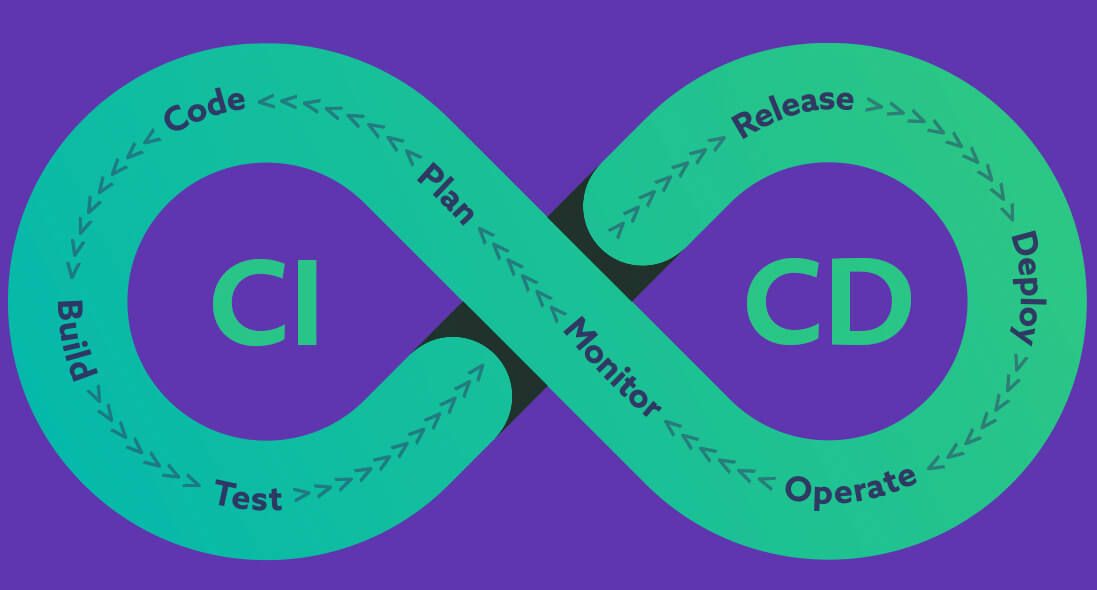
- Plan - doc / issue
- [git] Code
- [ci] * Build
- [ci] * Test
- [ci] * Release [github release]
- [cd] Deploy [IaC / apps store]
- [cd] Operate [controller / gitops / chatops]
- [cd] Monitor [health check]
Continuous integration
- version control
- commit message [check]
- build
- automated testing
- lint
- unittest
- integration test
- end-to-end test
Continuous delivery / deployment
- Deploy
- Infrastructure as Code (IaC) / gitops
- ansible (netdb) https://gitlab.com/19gale.ai/netdb-playbook
- https://k21academy.com/ansible/terraform-vs-ansible/
- Infrastructure as Code (IaC) / gitops
- Operate
- k8s controller / operator
- chatops
- OTA
- A/B Testing
- Monitor
- dashboard / health check
- gatus
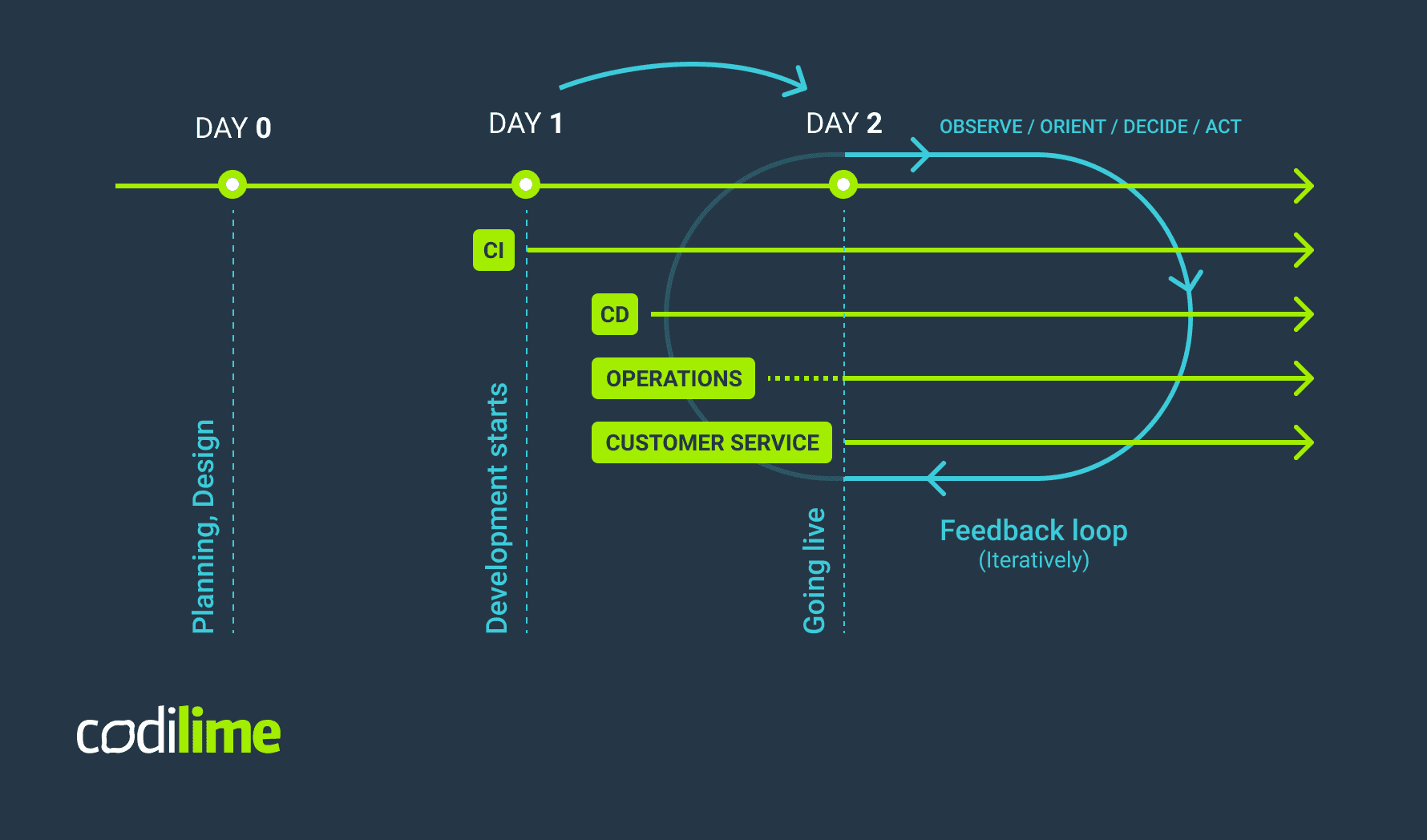
tools
version control
-
git
-
github pull request (PR) / gitlab merge request (MR)
- merge commit
- squash
- relation with issue tracker
-
gitflow https://nvie.com/posts/a-successful-git-branching-model/
- develop / feature / main / release / hotfixes

CI tools
- git trigger (webhook)
- worker
- pipeline
ci tools type
job base (jenkins)
- agent (java based) / worker setup
- Groovy script
- https://www.jenkins.io/doc/pipeline/examples/
- plugins
code pipeline base (gitlab ci/circle ci)
- .gitlab-ci.yml
- rules - Use the rules keyword to specify when to run or skip jobs.
- cache / artifacts - Keep information across jobs and stages persistent in a pipeline with cache and artifacts. These keywords are ways to store dependencies and job output, even when using ephemeral runners for each job.
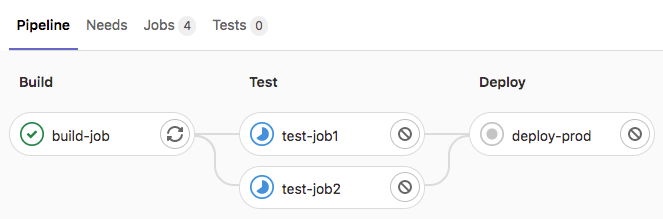
build-job:
  stage: build
  script:
    - echo "Hello, $GITLAB_USER_LOGIN!"

test-job1:
  stage: test
  script:
    - echo "This job tests something"

test-job2:
  stage: test
  script:
    - echo "This job tests something, but takes more time than test-job1."
    - echo "After the echo commands complete, it runs the sleep command for 20 seconds"
    - echo "which simulates a test that runs 20 seconds longer than test-job1"
    - sleep 20

deploy-prod:
  stage: deploy
  script:
    - echo "This job deploys something from the $CI_COMMIT_BRANCH branch."
  environment: production
ci market (github action)
- .github/workflows/xx.yml
name: GitHub Actions Demo
run-name: ${{ github.actor }} is testing out GitHub Actions 🚀
on: [push]
jobs:
  Explore-GitHub-Actions:
    runs-on: ubuntu-latest
    steps:
      - run: echo "🎉 The job was automatically triggered by a ${{ github.event_name }} event."
      - run: echo "🐧 This job is now running on a ${{ runner.os }} server hosted by GitHub!"
      - run: echo "🔎 The name of your branch is ${{ github.ref }} and your repository is ${{ github.repository }}."
      - name: Check out repository code
        uses: actions/checkout@v4
      - run: echo "💡 The ${{ github.repository }} repository has been cloned to the runner."
      - run: echo "🖥️ The workflow is now ready to test your code on the runner."
      - name: List files in the repository
        run: |
          ls ${{ github.workspace }}
      - run: echo "🍏 This job's status is ${{ job.status }}."
- local github action - act https://github.com/nektos/act
k8s and gitops
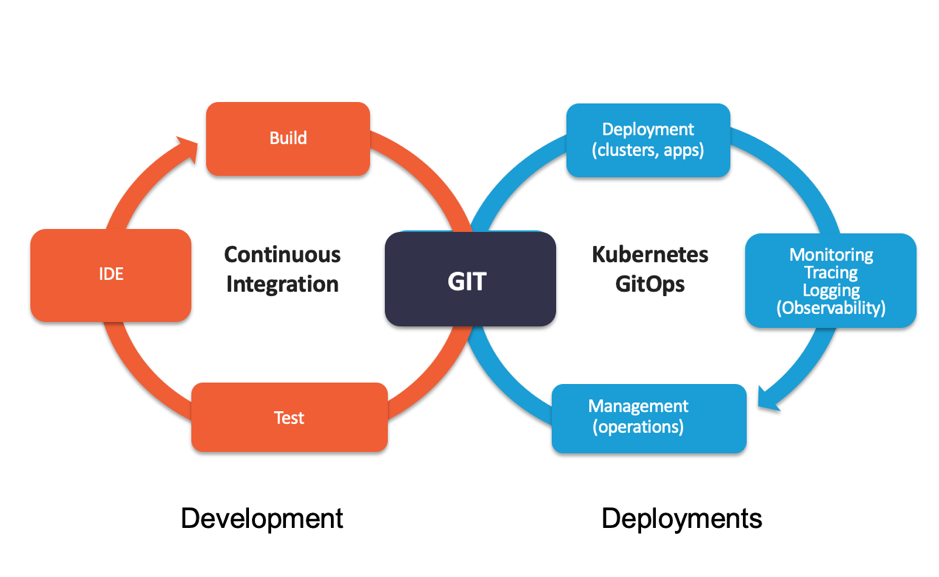
- tilt https://docs.tilt.dev/controlloop
- prod
- argocd
- fluxcd